
You are currently signed up to be a Vendor for Amazon.
But how do you move forward from here?
If you are a small vendor you can interface to Amazon Vendor Central manually.
However, if you are handling larger volumes of orders you need to integrate automatically to the Amazon system. From our experience if you have more than 50 orders per week, you should be looking at automation. We would estimate that handling 50 orders per week would take a clerk about 1.5 hours per day. Besides this, automation is error free and staff can concentrate on generating sales rather than repetitive clerical work.
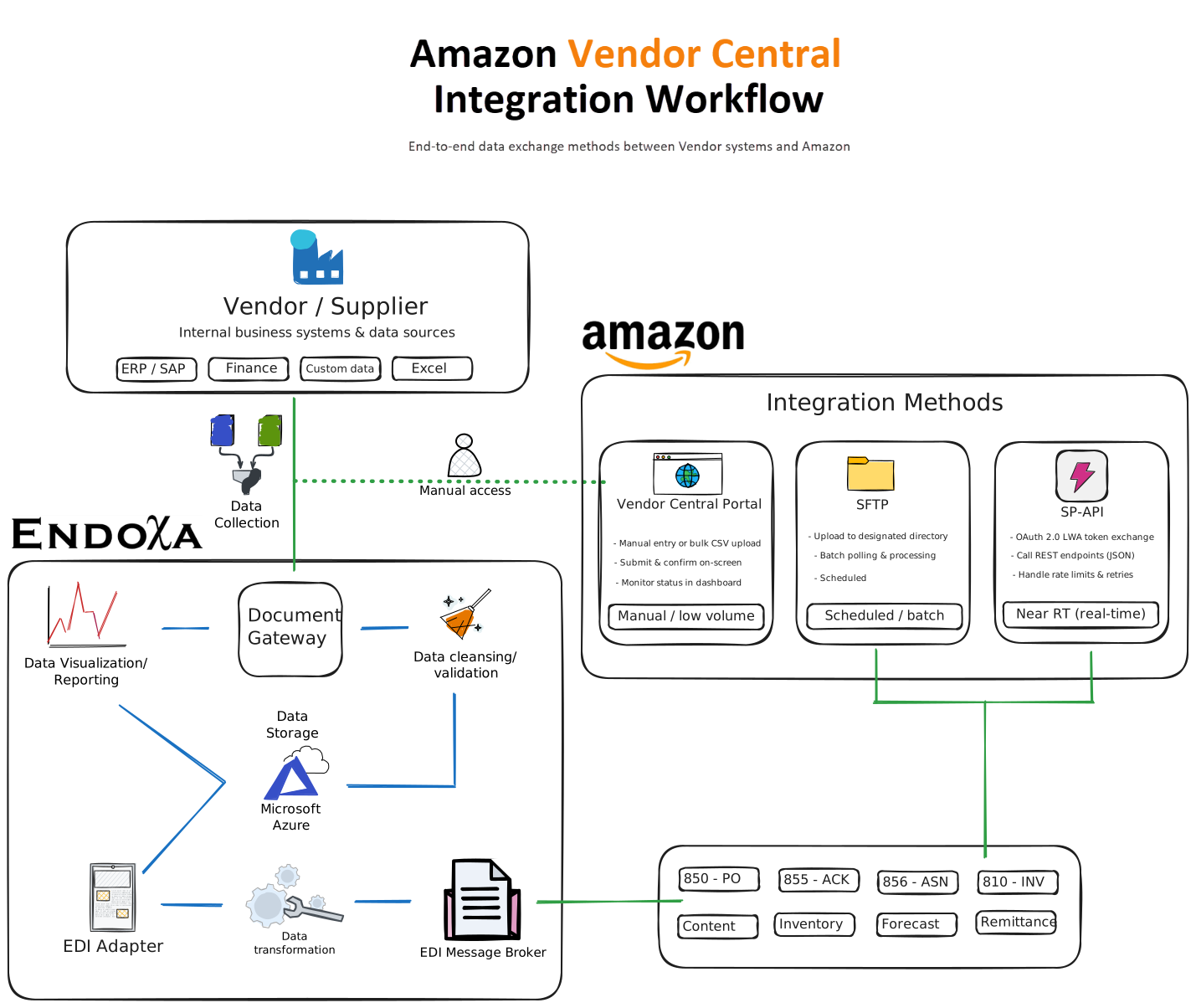
Endoxa has much experience with Amazon integration and can provide an automatic solution to you based on our high availability SaaS Microsoft Azure platform.
Our SaaS platform is built on decades of technical expertise in Electronic Data Interchange (EDI), ensuring your business can effortlessly integrate with partners, suppliers, and customers.
1

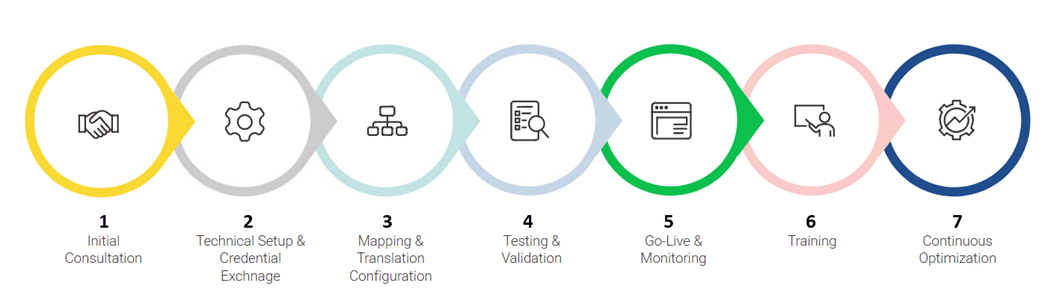
Discuss with the customer to understand their specific EDI requirements for Amazon integration (e.g. order processing, inventory updates, invoicing). Document their business processes, data formats, and any custom workflows needed.
2

Coordinate with the customer to obtain necessary credentials (e.g. Amazon SP-API or Vendor Central access) and configure secure connections. Set up dedicated EDI mailboxes or APIs for seamless data exchange.
3

Develop and test EDI maps to translate the customer’s internal data formats (e.g. ERP outputs) into Amazon-compliant formats (e.g. X12, EDIFACT, or JSON). Validate mappings for accuracy and compliance with Amazon’s requirements.
4

Conduct end-to-end testing with the customer and Amazon’s sandbox environment. Verify that orders, acknowledgments, invoices, and inventory updates are processed correctly and without errors.
5

Transition to production, enabling real-time EDI transactions. Monitor the initial data exchanges closely to ensure stability and address any issues promptly. Provide the customer with access to dashboards or reports for visibility.
6

Train the customer’s team on using the EDI platform, including troubleshooting common issues and accessing support. Provide documentation and assign a dedicated support contact for ongoing assistance.
7

Schedule periodic reviews to assess performance, gather feedback, and implement improvements. Proactively update mappings or workflows to align with changes in Amazon’s EDI requirements or the customer’s business needs.
Contact us today at Sales@endoxa.co.za